
Comment log output
OneComme has a feature to output all comments as logs for analysis purposes.
Enable
To enable this, go to Settings > Other and check "Keep comment logs" so comments are recorded.
Note
From 8.0, to write logs as files you also need to check "Write logs to files".
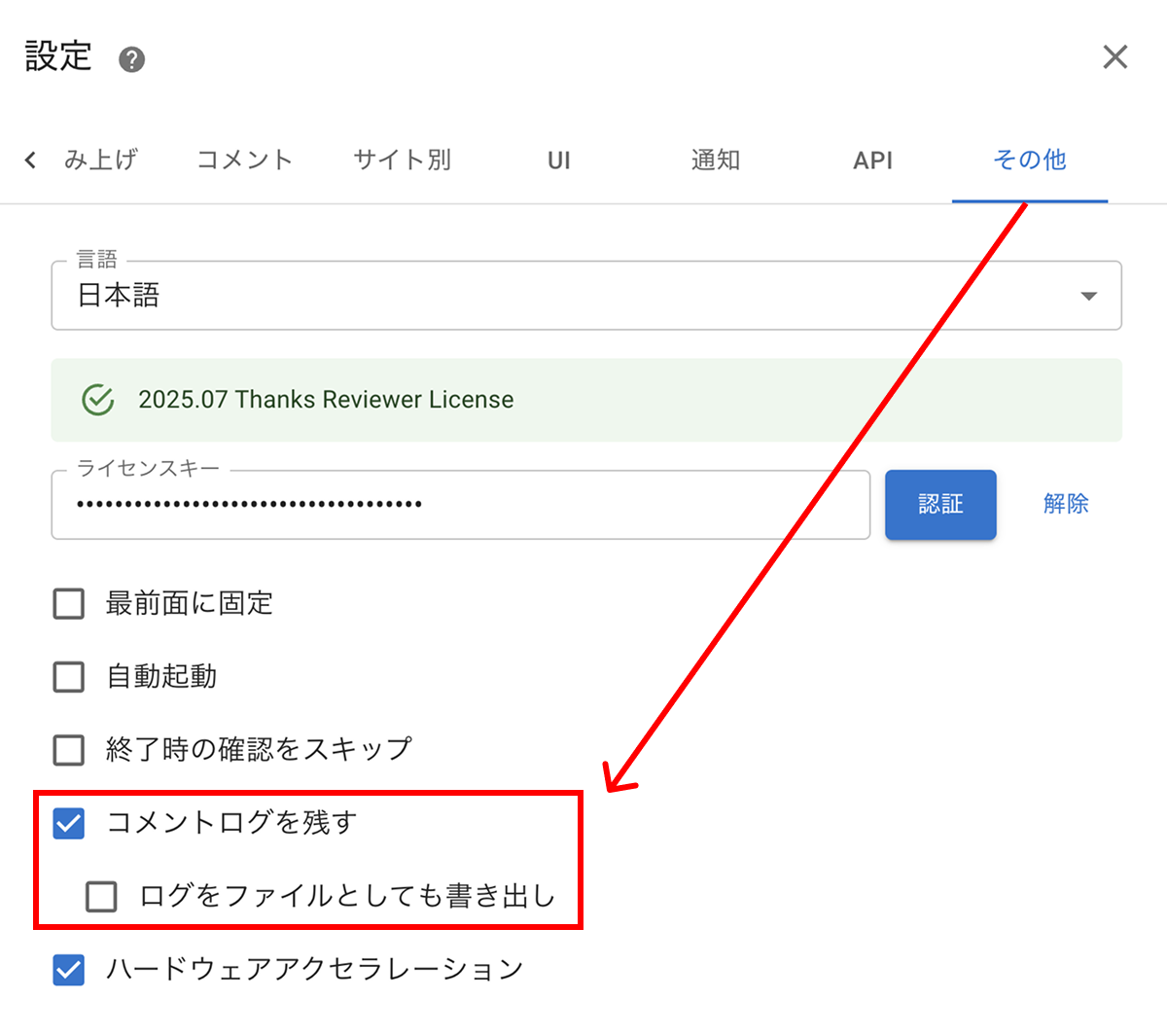 SettingsCommentsWebsite specificLanguageJapaneseLicense KeyAuto RunSkip confirmation when OneComme endsKeep comment logsWrite logs to filesHardware accelerationOthers
Comment analysis
The comment analysis feature restores comment logs into an easy-to-browse format.
For details, see Comment log analysis.
Comment log search
The comment search feature makes it easy to find specific comments.
For details, see Comment log search.
Cleanup
Cleanup deletes comment logs older than a specified date.
Use this to remove old data when the amount of stored data has grown too large.
From OneComme's top-right menu, select Comment Log > Cleanup.
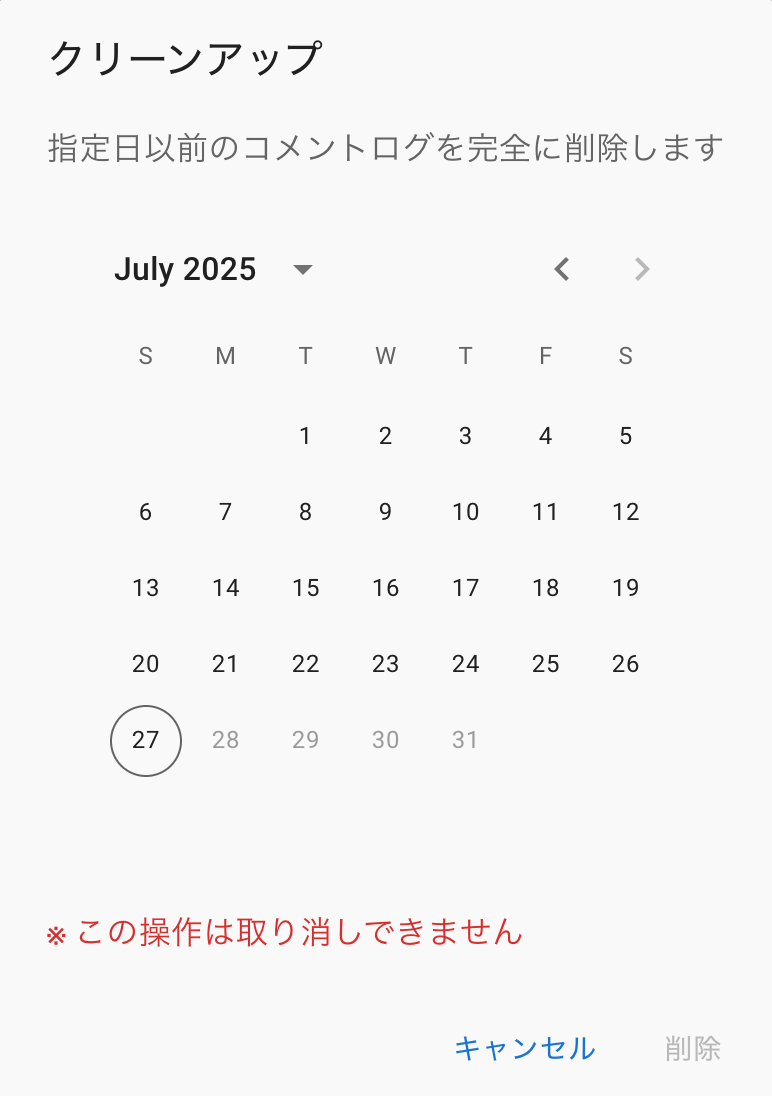 CleanupThis Will Completely Delete Comment Logs From Before The Specified Date.This Operation Cannot Be Undone.CancelRemove
Select the cutoff date and delete; comment logs from that date or earlier will be removed.
Import old files
Import comment logs created in OneComme 7.2 or earlier into the 8.0+ database.
From OneComme's top-right menu, select Comment Log > Import Old Files.
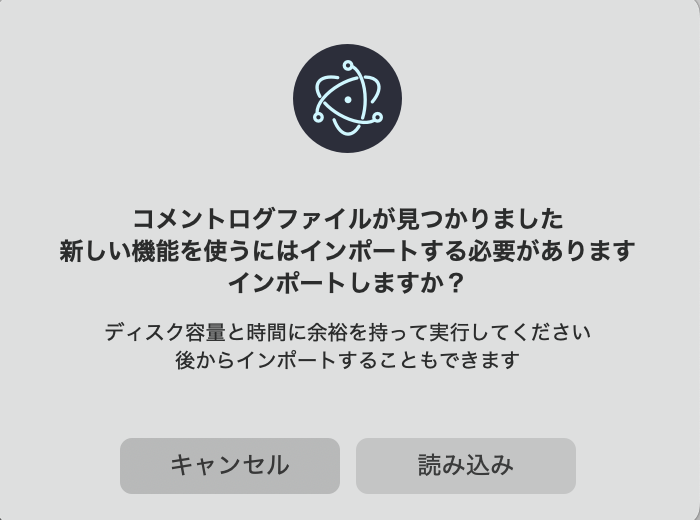 Comment Log file foundImport required to use new featuresImport?Run with enough disk space and timeYou can also import laterCancelImport
You can't operate OneComme while the import is in progress.
Make sure you have enough disk space—more than twice the size of the comment log data—and enough time before running the import.
Log file output location
If you're using comment logs from version 7.2 or earlier, or have "Write logs to files" checked, logs are output daily to the following directory:
TIPS
C:\Users\[USER_NAME]\AppData\Roaming\onecomme\comments
- You can reach the comments directory from the "Open folder" item in the menu.
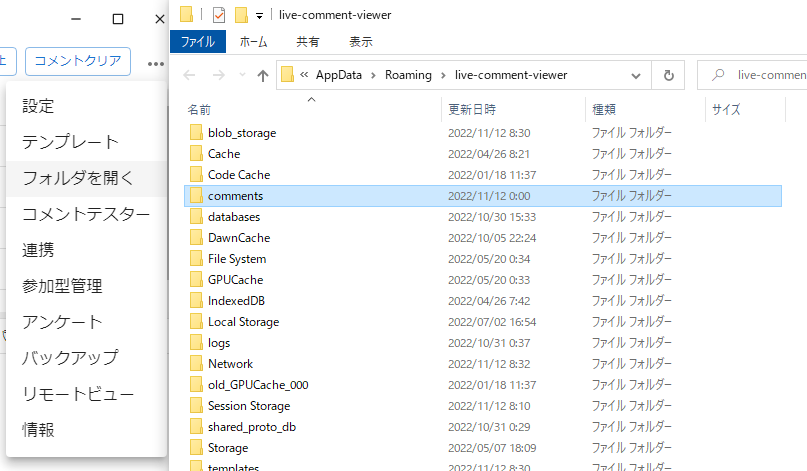 Clear commentsSettingsTemplatesOpen folderDummy CommenterIntegrationViewer-participating SystemPollBackupRemote ViewInfoFileNameHomeShared ViewLast UpdateFile FolderFile FolderFile FolderFile FolderFile FolderFile FolderFile FolderFile FolderFile FolderFile FolderFile FolderFile FolderFile FolderFile FolderFile FolderSize
Output example
{"id":"fJsHF4q3oDO9U3FjZ2KJn","name":"Test send","service":"youtube","url":"about:blank","data":{"id":"youtube-1644470611051","userId":"uMh9F0vpgte4WT01vZ7aH","name":"OneComme Test","timestamp":1644470611051,"badges":[],"hasGift":false,"profileImage":"https://via.placeholder.com/64","comment":"Nice!","displayName":"OneComme Test"}}
{"id":"fJsHF4q3oDO9U3FjZ2KJn","name":"Test send","service":"youtube","url":"about:blank","data":{"id":"youtube-1644470657921","userId":"uMh9F0vpgte4WT01vZ7aH","name":"OneComme Test","timestamp":1644470657921,"badges":[],"hasGift":false,"profileImage":"https://via.placeholder.com/64","comment":"nice","displayName":"OneComme Test"}}