
How to change the template font
How to specify a Google Font or a local font for your template's font
Using Google Fonts
In the embed code at the bottom of Google Fonts, select "@import"
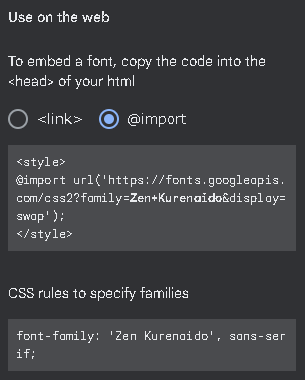
Copy only the contents inside <style></style> and paste it into OBS's custom CSS
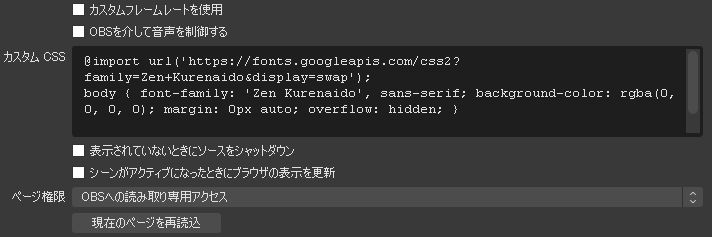 Use custom frame rateControl audio via OBSShut down source when not visibleRefresh browser when scene becomes activeRead-only access to OBSReload current page
Likewise, copy the CSS listed under "CSS rules to..." and paste it inside body {} as shown in the image above
Apply the changes in OBS and you're done
Using a font installed locally
Look up the full name of the font you want to use
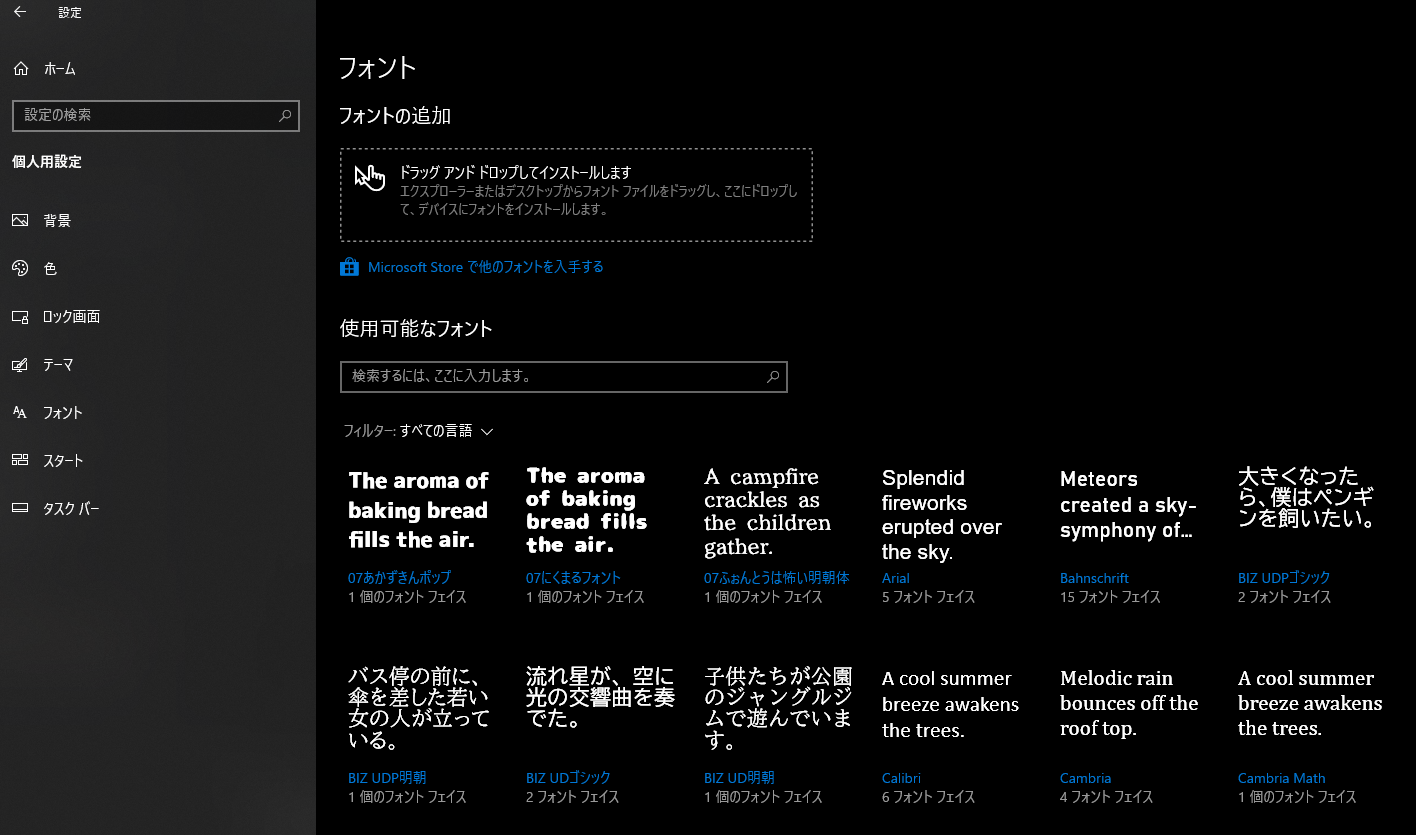
Open Windows Settings > Personalization > Fonts
 HomeSearch settingsPersonalizationBackgroundColorLock screenThemesFontsAdd fontsDrag and drop to installDrag a font file from Explorer or desktop and drop it hereto install it on your deviceGet more fonts in Microsoft StoreAvailable fontsType here to searchFilter: All languages07 Akazukin Pop1 font face07 Nikumaru Font1 font face07 Honto wa Kowai Mincho1 font faceIn front of a bus stop,a young woman withan umbrella isstandingBIZ UDPMincho1 font faceA shooting starin the skyplayed a symphonyof lightBIZ UDGothic2 font facesChildren in the parkon the junglegym are playingBIZ UDMincho1 font face5 font faces15 font faces6 font faces4 font facesgot bigger, I want to keep a penguinBIZ UDPGothic1 font face
The font names, shown in blue text in the font list on the lower right, are the font names
Make a note of the font name you want to use
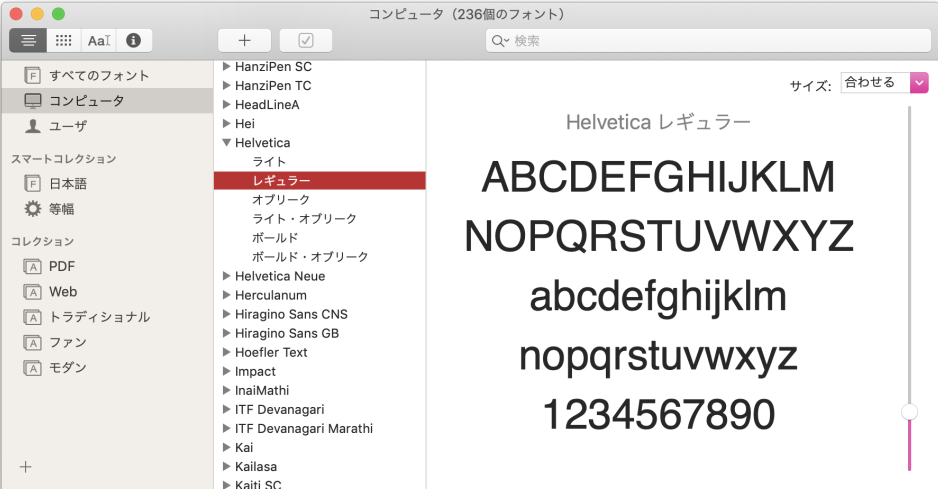
On Mac, you can look up the font name using the Font Book app
 Smart CollectionCollectionTraditionalComputer (236 fontsLightObliqueLight ObliqueBoldBold ObliqueHelvetica Regular
Open OBS's browser source and add font-family inside body{} in the custom CSS
font-family: 'font name you want to use'
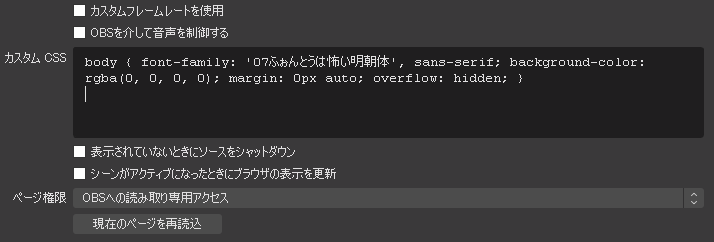 Custom CSSUse custom frame rateControl audio via OBSShut down source when not visibleReload current page
Apply the changes in OBS and you're done