
How to change the template font
How to specify a Google Font or a local font for a template's font
Using Google Fonts
In Google Fonts' final embed code section, select "@import"
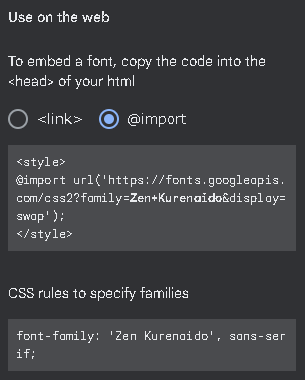
Copy only the contents inside <style></style> and paste them into OBS's custom CSS
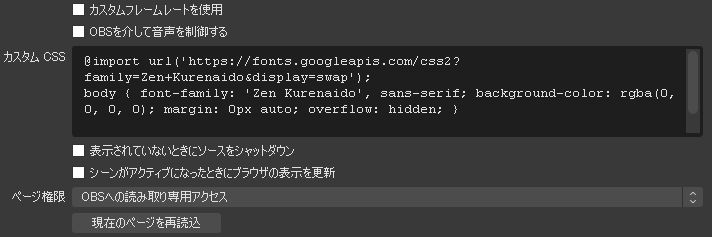
Likewise, copy the CSS written below "CSS rules to..." and paste it inside body {} as shown in the image above
Apply the changes in OBS and you're done
Using a font installed locally
Look up the full name of the font you want to use
Open Windows Settings > Personalization > Fonts
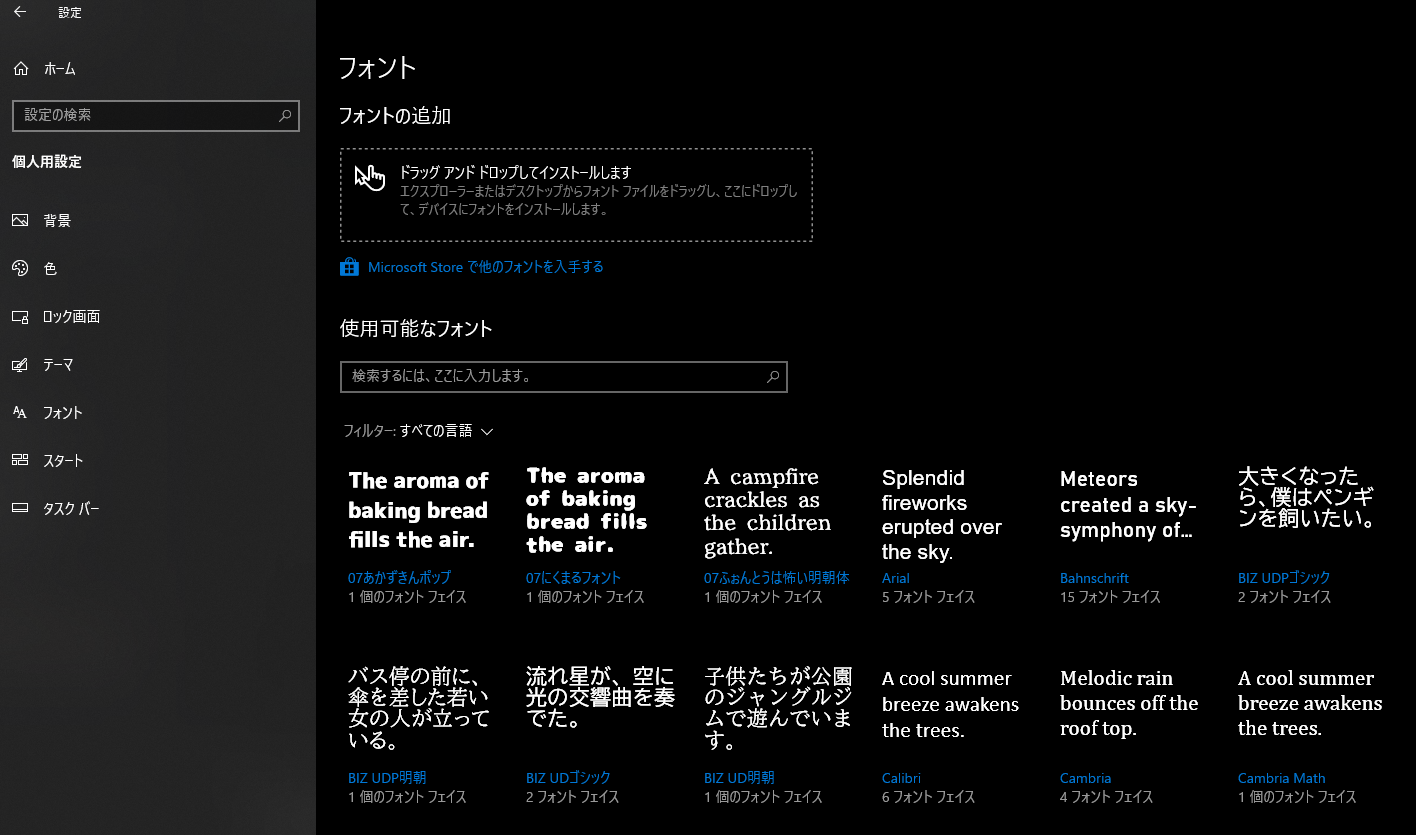
The names shown in blue text in the font list on the bottom right are the font names
Note down the name of the font you want to use
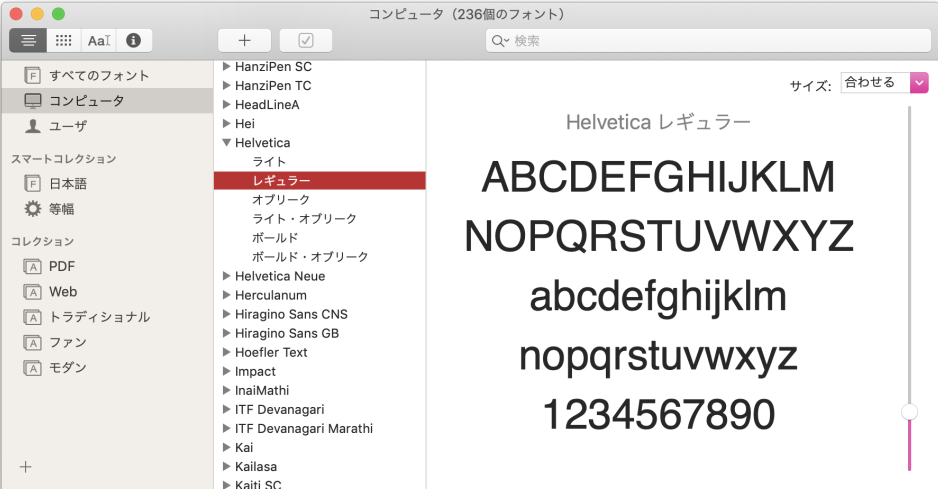
On Mac, you can look up font names using the Font Book app
Open the OBS browser source and add font-family inside the body{} of the custom CSS
font-family: 'Font name you want to use'
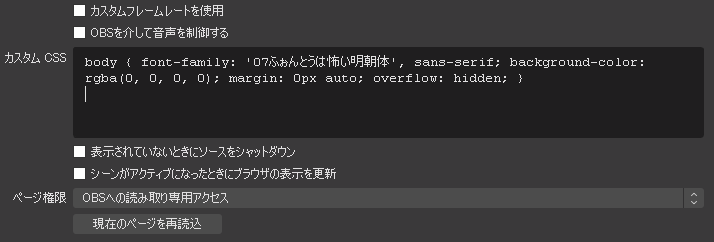
Apply the changes in OBS and you're done